
WooCommerce search for a large catalogue
A search that feels fine at 300 products can struggle at 10,000. This guide shows what changes as your catalogue grows and what to do about it.
What breaks first
The default search scans product text in the database with a wildcard match. The work grows with the size of your catalogue, so each search does more than it did last year. Imports and bulk edits make it worse, because they touch the same tables the search reads.
Symptoms to watch
- The search box lags before results show.
- Search works at night and slows at peak hours.
- Your host reports high CPU when many people search.
- Results take long to load on the results page.
Plan for growth
- Search a prepared index, not your live product tables.
- Rebuild the index in the background, never during a visitor's page load.
- After a big import, wait for it to finish before you rebuild.
- Keep the index small: only the fields shoppers search.
- Cache index files with versioned names so browsers keep them.
Check your own numbers
Do not trust a round number from any vendor, including us. Test on your own catalogue. Look at the size of the search file and the time a rebuild takes.
What we have measured
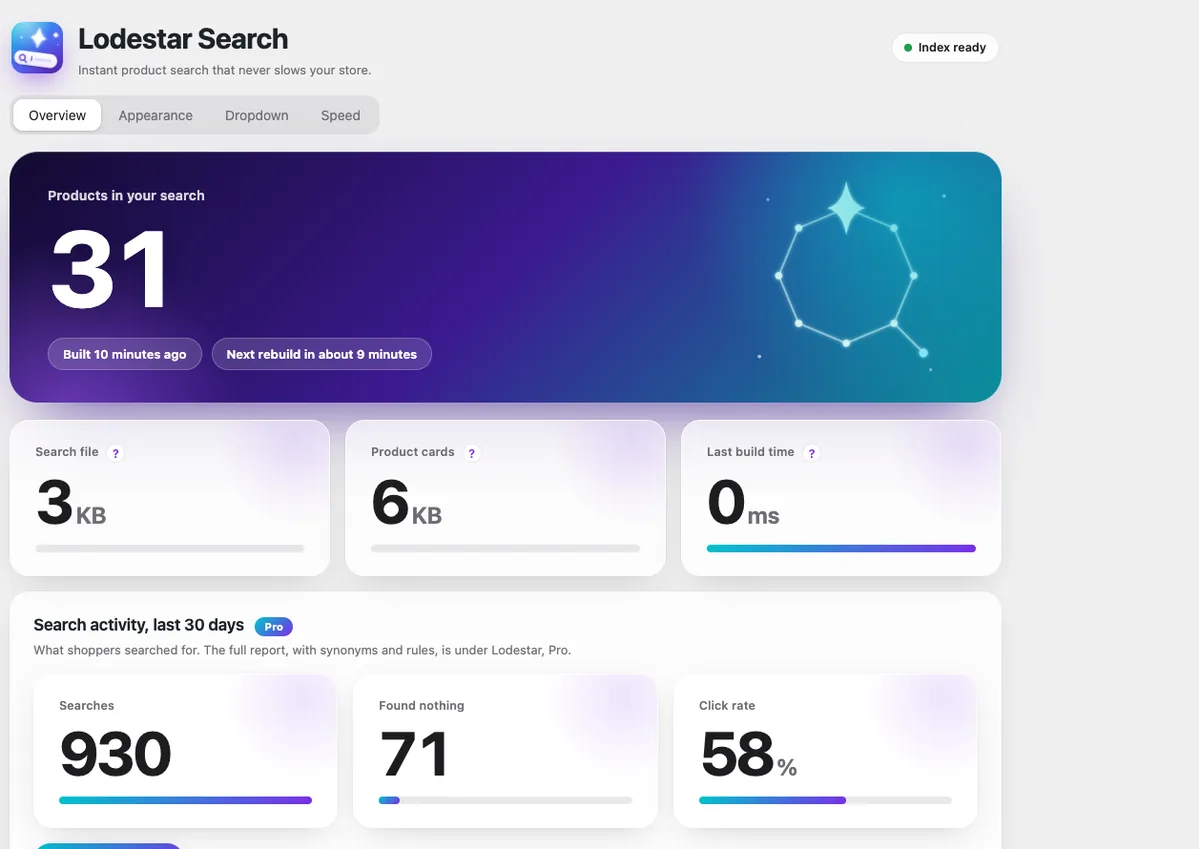
We have tested Lodestar Search on catalogues up to 10,000 products, and searching took under a millisecond in our tests. Your results will depend on your products and fields, so check the file size on the Overview tab after your first build. Pro's load control can rebuild only at night and wait out imports.
Lodestar Search is a free WooCommerce plugin with typo fix, synonyms and instant results.
Get the free plugin
Questions
How many products can WooCommerce search handle?
The default search handles a few hundred to a few thousand products well. Beyond that, use a prepared index.
Why does search slow down after an import?
Imports change many rows at once, and a search that reads those rows live competes with the import.
Does a search plugin help with a big catalogue?
It can, if it searches a prepared index and rebuilds in the background instead of querying the database live.