
Zero result searches in WooCommerce: find them and fix them
Every search that returns nothing is a shopper telling you something. Most stores never read it. This guide shows how to collect those searches and what to do with each one.
Why they matter
A shopper who types a search and sees no results usually leaves. Unlike a bounce on a product page, you can read exactly what they wanted. A list of the top empty searches is a short to do list for your catalogue.
How to collect them
WordPress does not record searches. You need a plugin or analytics setup that logs the search words and whether any results came back. Look for these things: the top searches, the searches with no results, and the click rate on results. Keep the privacy side simple: store the words, not the person, and offer a way to delete the data.
The four fixes
- It is a synonym. The shopper used a different word for a product you sell. Add the pair to your synonym list.
- It is a typo. Check your search corrects it. If it does not, that is a plugin gap, not a catalogue gap.
- The product is badly named. You sell it, but the title uses internal words. Rename the title or add the customer's word to the product.
- You do not sell it. If many people ask, that is useful demand information. Consider stocking it, or send the search to a related category.
A weekly routine
- Open the zero result list.
- Sort out the top ten using the four fixes.
- Check the same list next week. The old ones should be gone.
Ten minutes a week is enough.
How Lodestar Pro helps
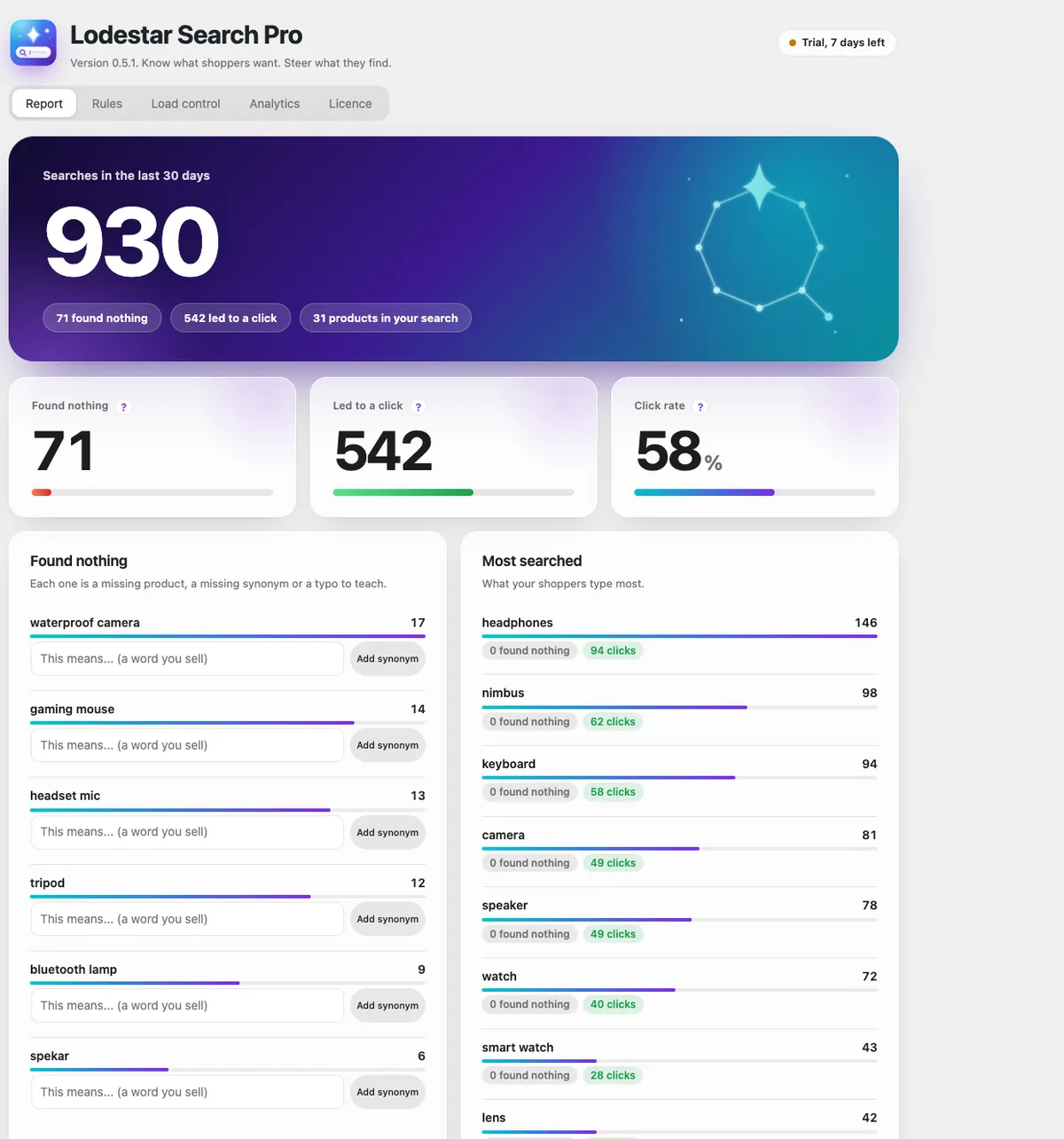
Lodestar Pro has a report of searches that found nothing, with an Add synonym button on each row. It also shows top searches and click rate. Analytics cost nothing while the shopper types: the browser sends one small message when they leave, and totals are saved every 15 minutes. One click deletes every record. See Pro pricing.
Lodestar Search is a free WooCommerce plugin with typo fix, synonyms and instant results.
Get the free plugin
Questions
How do I see what people search for in WooCommerce?
WordPress does not log it by default. Use a search plugin with analytics, or send search events to your analytics tool.
What should I do with searches that find nothing?
Decide for each one whether it needs a synonym, a typo fix, a better product title, or a new product.
Is it allowed to store search words?
Search words can be personal data in some places. Keep the words without user details, tell visitors in your privacy policy, and let yourself delete the records.