
WooCommerce search analytics: what to track and how
The words shoppers type into your search box tell you what to stock, what to rename and what to explain. WordPress does not keep them. Here is how to start.
What to measure
- Top searches: what people want most.
- Searches with no results: what they want and cannot find.
- Click rate: after searching, did they open a result?
- Searches by product type over time, so you see seasons.
What GA4 can see
Google Analytics 4 has enhanced measurement for site search. It records a view_search_results event when a page URL contains a search parameter such as s or q. A WooCommerce results page, with ?s=word in the address, counts.
What GA4 misses
Instant search shows results in a dropdown without loading a new page. The URL never changes, so GA4 sees nothing for those searches. If most of your shoppers use the dropdown, your GA4 search report is missing most of what they typed. It also cannot tell you whether a search found anything.
Track the gap yourself
You need something that logs the search word and the number of results. Options are a search plugin with analytics, or custom events you send to GA4 from your own code. Whatever you pick, store the words only and not the person, say so in your privacy policy, and keep a way to delete the data.
Read it weekly
Open the no result list once a week and sort out the top ten. See how to fix zero result searches.
In Lodestar Pro
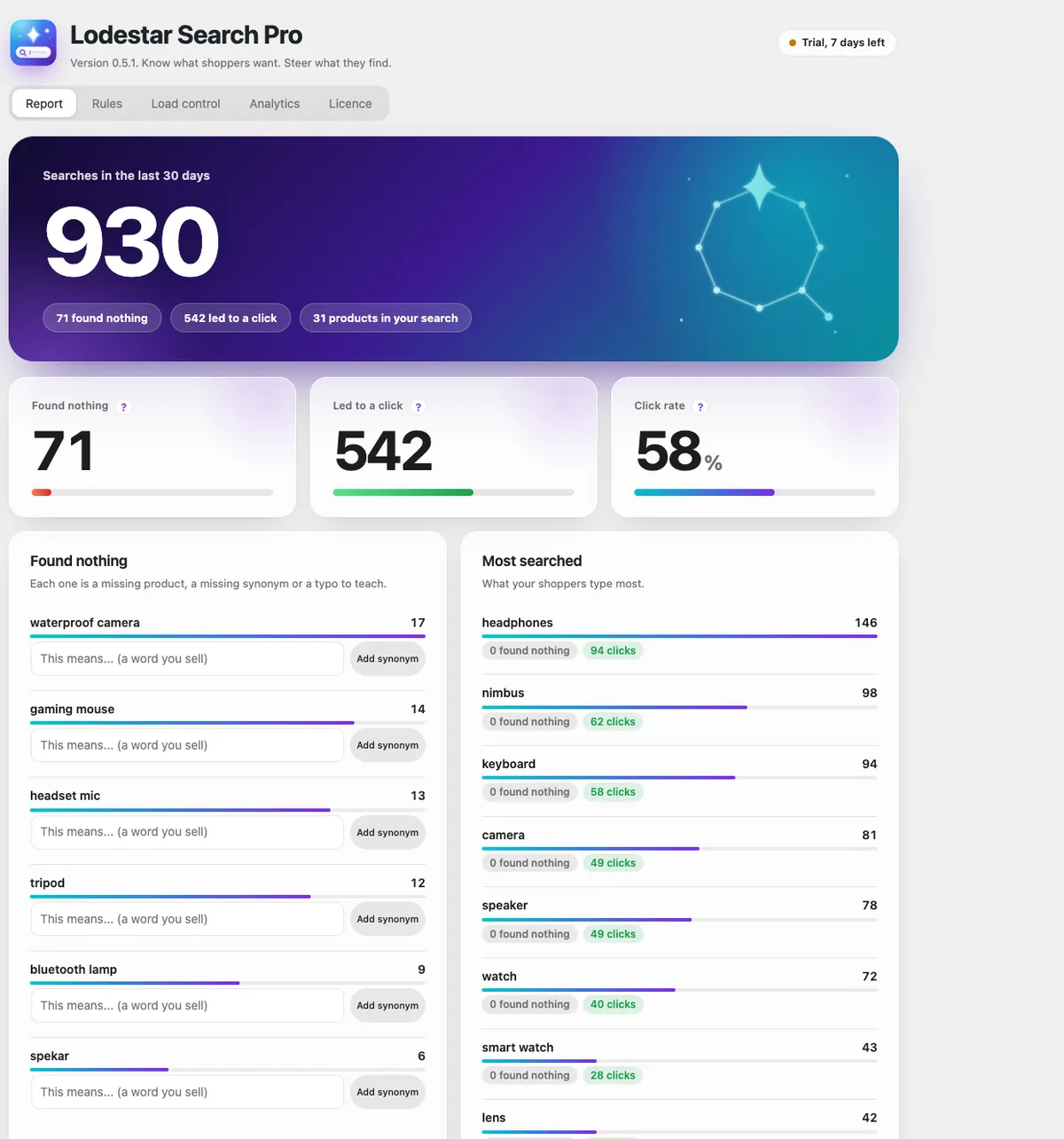
Lodestar Pro records searches from the dropdown as well as the results page. You get top searches, searches that found nothing, and click rate. It costs nothing while the shopper types: the browser sends one small message when they leave, and totals are saved every 15 minutes.
Lodestar Search is a free WooCommerce plugin with typo fix, synonyms and instant results.
Get the free plugin
Questions
Does GA4 track WooCommerce searches?
Yes for searches that load a results page with a search parameter in the URL. It misses searches made in an instant dropdown.
How do I see searches that found nothing?
GA4 does not report that. You need a search plugin with analytics or your own event that records the result count.
Is storing search terms a privacy problem?
Search words can be personal data in some places. Keep the words without user details, tell visitors, and let yourself delete them.